Add your feed to Perplexity
Perplexity shows product cards when people ask what to buy. It says it picks them on relevance, and stores cannot pay for a place.
How products reach Perplexity
- Through Shopify. Perplexity's shopping results draw on a Shopify integration, which covers stores that sell and ship to the US.
- Through its merchant program. This is a free program for large retailers to send product data directly. Perplexity says members get a better chance of being recommended, a dashboard of shopping trends and free API access.
Share your feed
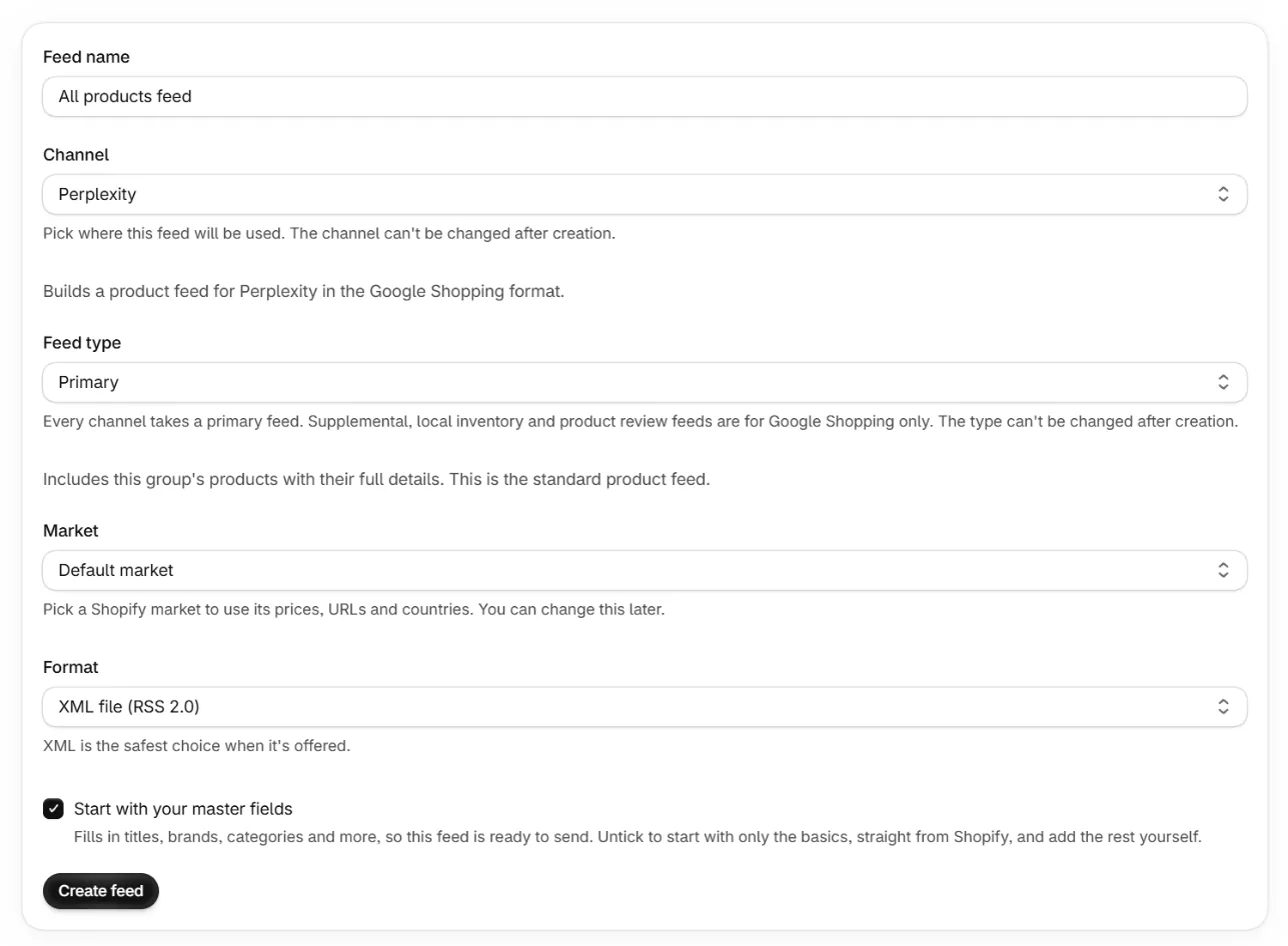
Create a Perplexity feed in the app
Pick Perplexity as the channel and choose XML, TSV or CSV. Copy the feed URL from the feed page.
Sign up for the merchant program
The sign-up form is linked from Perplexity's Shop like a Pro announcement. Perplexity replies with next steps.
Give Perplexity the feed URL
When Perplexity asks for your product data, send it the feed URL. The file updates within minutes of a product change.
What Perplexity looks for
Perplexity says it is more likely to recommend stores with fuller product details, such as availability, reviews, pricing and specifications. The feed sends price, availability, brand, barcodes and categories for every variant. Fill any gaps in the feed editor.
Note. Perplexity has not published a feed format, so the app uses the Google Shopping format.
Keep reading
Was this page helpful?