Customize feed attributes
On this page
Every feed starts from smart defaults. The attribute editor lets you override any field the channel supports, organized into tabs. Each channel shows only the fields it accepts, so a tab can be shorter, or missing, on a channel that has no use for it. Each attribute takes one value for the whole feed, or a set of rules that send different values to different products.
On the attribute tabs, each field shows the Google attribute name it fills, so a warning in Merchant Center points straight at the control that fixes it. Where a field has an optimization guide, clicking that name opens it, and every field has a reference page under Google Shopping attributes.
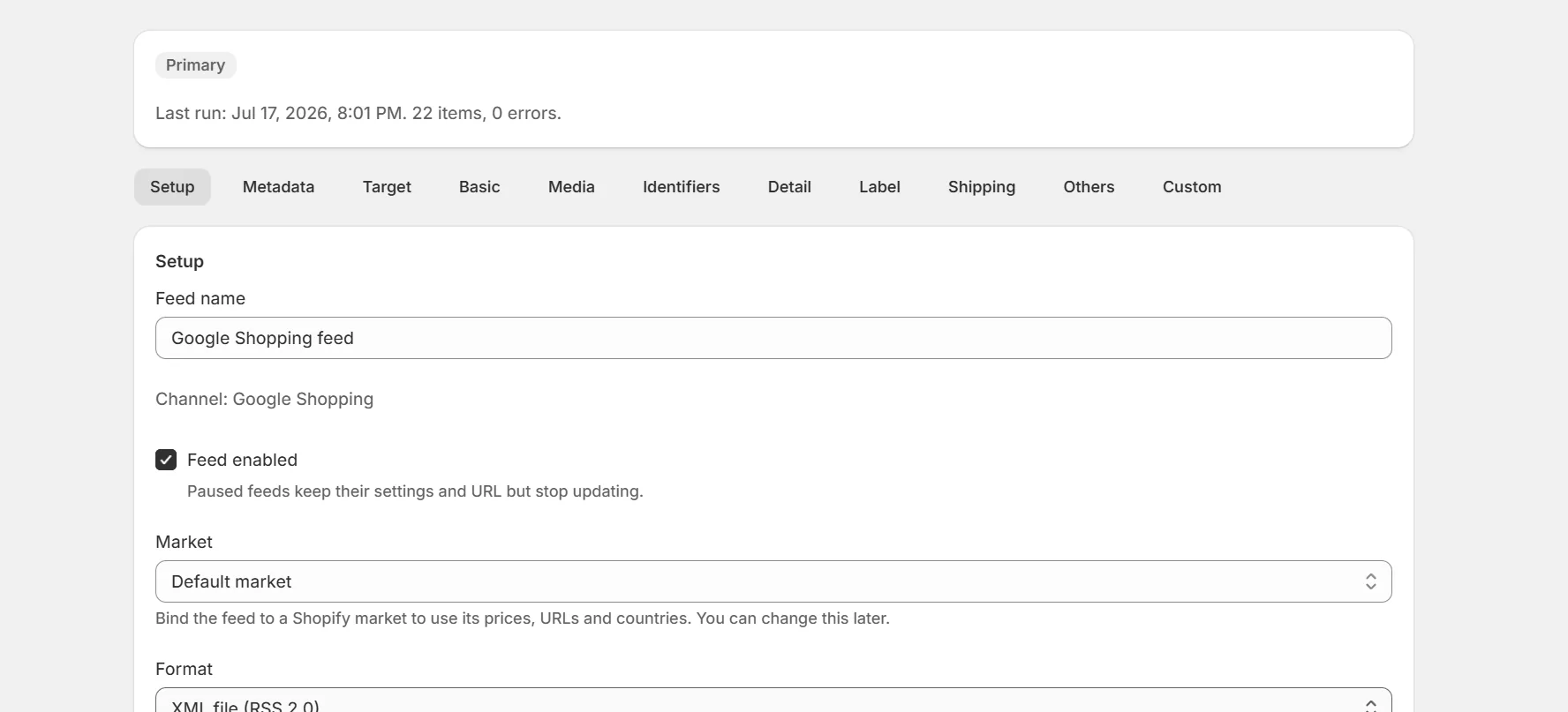
The editor tabs
- Setup: name, enabled state, market, file format, compression and whether the feed starts with your master fields.
- Metadata: expiration and its date, variant mode and item group ID, availability, out of stock handling and an optional feed password.
- Target: language, target countries, included and excluded destinations with their rules, excluded ad countries and the pause field.
- Basic: item id format, title, short title and description values.
- Media: the main image, extra images, lifestyle images, videos, 3D models and document links.
- Identifiers: GTIN, MPN, brand, identifier exists, product category and product type.
- Detail: condition, adult content, age group, gender, color, size, material, pattern, size type, multipack, bundle, unit pricing, product dimensions and weight, highlights, product details, energy classes and certifications.
- Pricing: price, sale price, sale price dates, availability date, cost of goods sold, installment plans, subscriptions and loyalty pricing.
- Label: custom labels 0 to 4 for campaign segmentation, and promotion id.
- Shipping: shipping weight, shipping price, package dimensions, free shipping thresholds, handling and transit times.
- AI shopping: questions and answers, related products, variant options, item group title and popularity rank for Google's AI surfaces.
- Others: product links, mobile and checkout links, and Custom fields, extra fields of your own under any name, each with the same value list as an attribute.
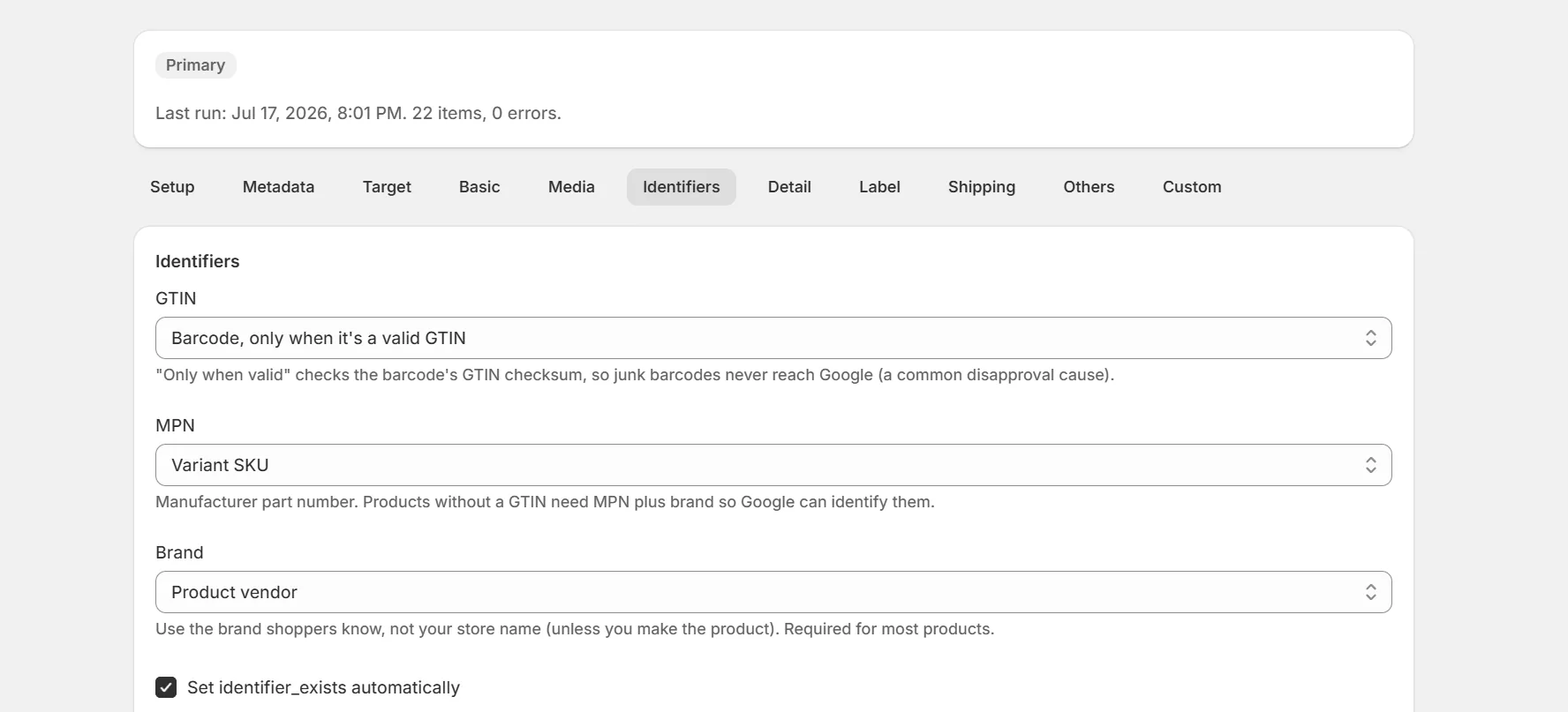
Pick where a value comes from
Every attribute has a value selector. An attribute with a master field opens on that field, and the rest open on the smart default. Where a default is one Shopify field, like the title or Cost per item, it shows as Use a product field with that field already picked. The other choices work on any attribute.
- Use a product field: send any product, variant or store field, including any variant option by name.
- Set a fixed value: one value for every product in the feed.
- Combine fields: join several fields with a separator, skipping empty ones.
- Replace values with a table: match a field's values against rows you define and send the replacement. Handy for turning internal names into values Google expects.
- Take part of a field: split a field on a character and send one part, like the middle of a structured SKU.
- Custom expression: full Liquid style expressions for anything else.
- Exclude: leave the attribute out entirely. Title, description, link, image, availability and price always send a value, so they never offer it.
Rules for different products
Press Add rule to vary an attribute by product. Each rule starts with Only if conditions on any field, like product type is Shirts or price is greater than 50. A rule with several conditions needs all of them to match. Rules run top to bottom and the first match wins. The pinned All other products rule catches everything else.
Custom expressions
Expression values accept Liquid style expressions with your product data. For example a title expression can combine brand, title and color into one line.
{{ product.vendor }} {{ product.title }} in {{ variant.option.Color }}Note. The preview at the bottom of the editor shows the exact items the channel will fetch, including your customizations.
Feed rules apply to every product they match. For a one-off fix, every mapping tab links to Use overrides, which sets attributes on individual products instead.
Master fields and a feed's own rules
Attributes the app fills in for you, like title, brand, GTIN and cost of goods sold, follow a master field of the same name, so every feed sends the same rule. They show Use a product field with that master field picked, like any other master field, and the rule it holds. Edit master field opens it on the Master fields tab under Settings, where one change reaches every feed.
To change an attribute for one feed only, pick any other value in that feed. Its own rule wins there, and every other feed keeps the master field. Use the master field hands the attribute back.
Keep reading
Was this page helpful?