Create your first feed
On this page
A feed is a file that lists your products in the format an advertising channel understands. This guide takes you from install to a live feed URL.
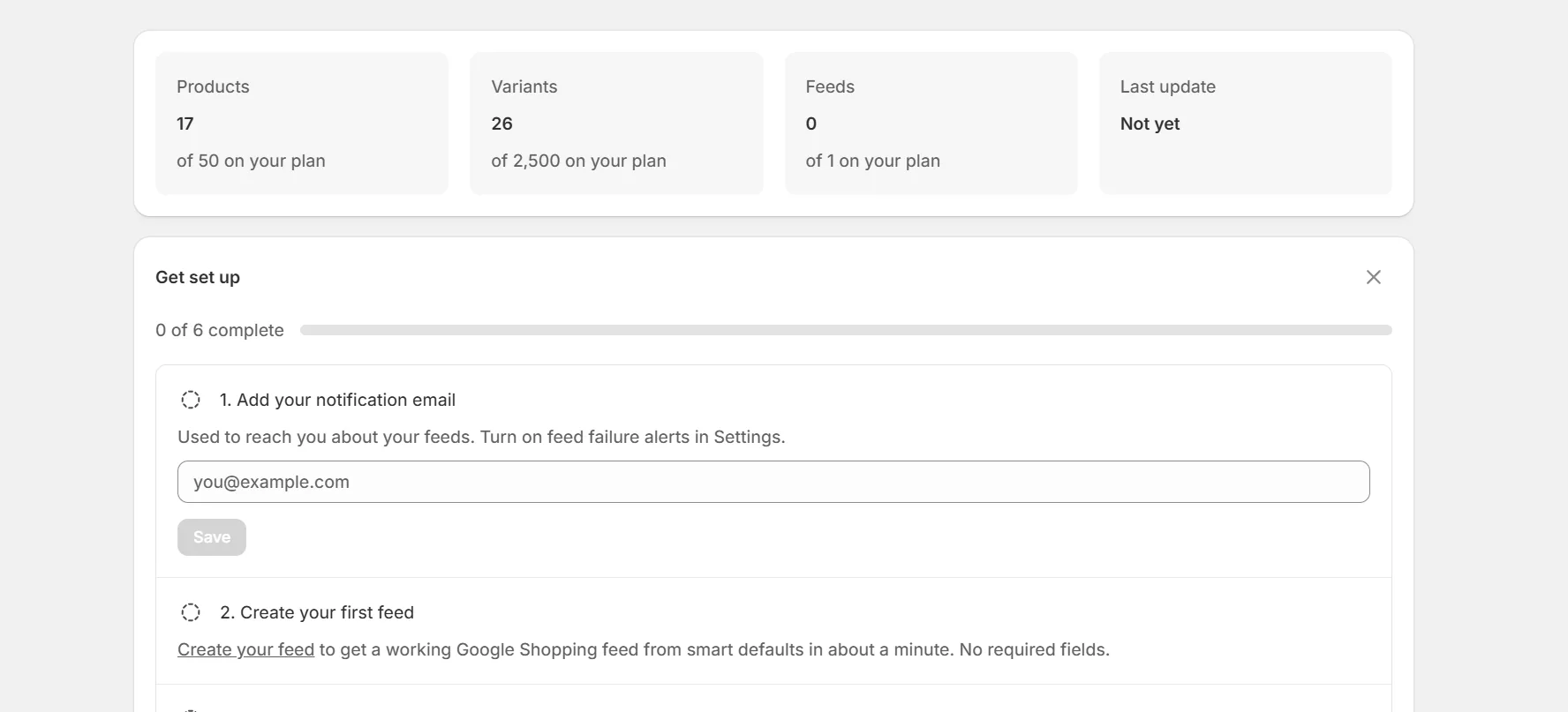
Open the app and start setup
After installing, the app syncs your catalog and walks you through creating your feed. The defaults produce a valid feed without any input.
Pick your products
Include the whole catalog or limit the feed to selected collections. You can change this at any time.
Pick the channel
Google Shopping is the default. Paid plans can also create feeds for Meta, Microsoft, Pinterest, TikTok, Snapchat, Criteo and AppLovin, and Custom feeds that hold only the fields you pick.
Copy your feed URL
Every file feed gets a stable, secret URL. Paste it into the channel's catalog tool and you are live.
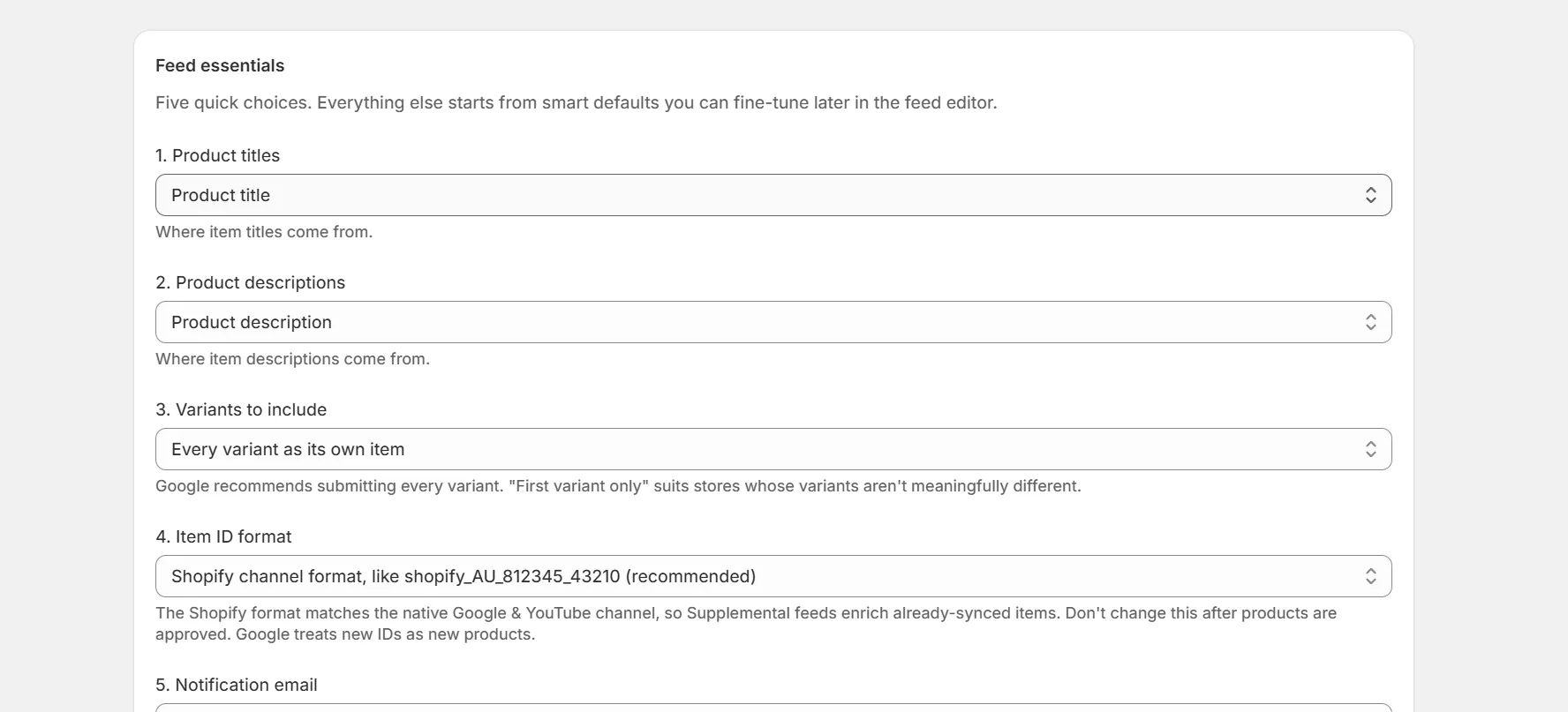
Note. The fields Google needs start on smart defaults built from your product data. You never have to touch the advanced editor to get a working feed.
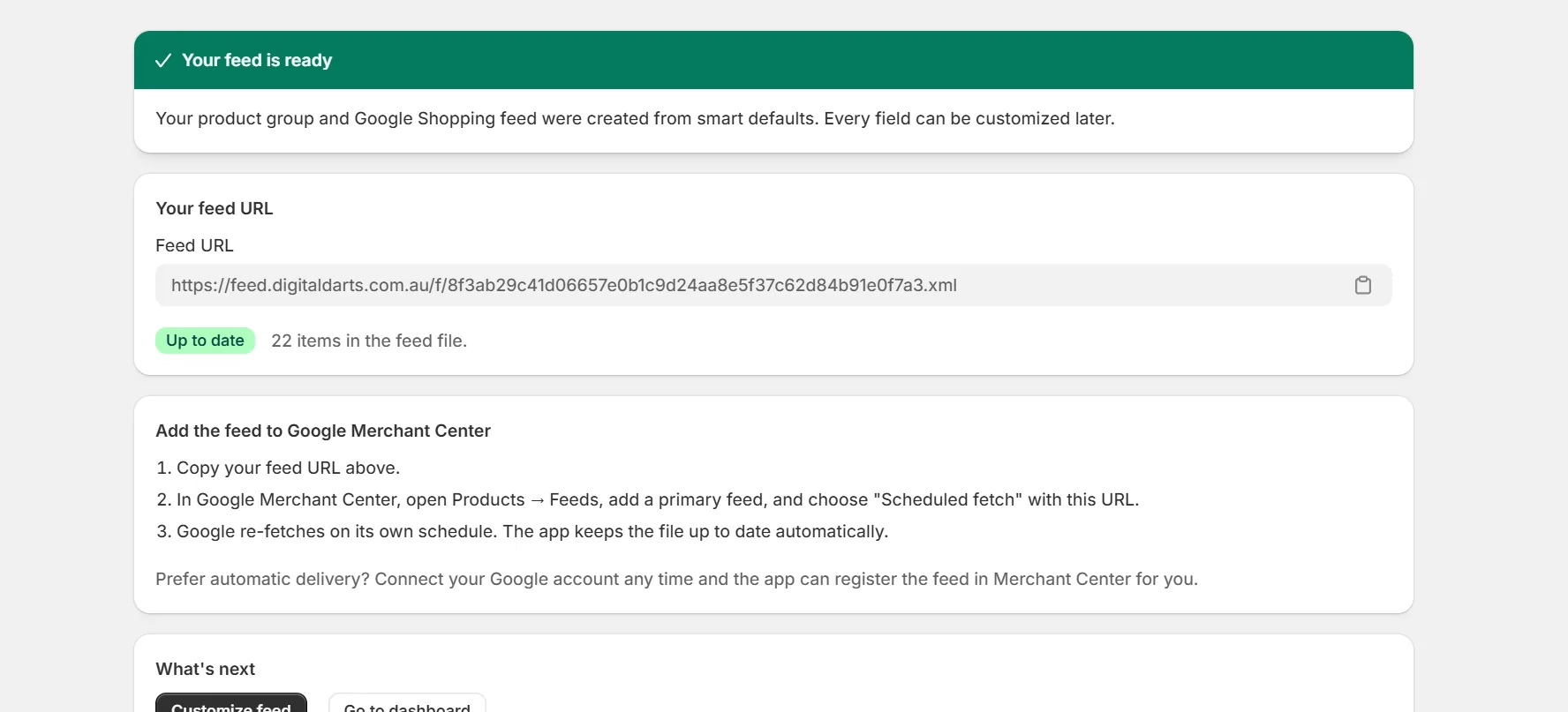
What happens after creation
The app generates the feed immediately and keeps it fresh. Feeds refresh at least daily. On paid plans they also refresh within minutes of product changes.
Products marked out of stock stay in the feed with an out of stock label. Unpublished products are always excluded. You can change stock handling in the feed settings. See Control out of stock and unpublished products.
Running more than one feed? Master fields under Settings hold the rules every feed shares, and any feed can still set its own. A product override can apply to one feed or all of them. See Edit single products and preview.
Frequently asked questions
Do I need a Google account to create a feed?
No. Feeds work as plain files you can register anywhere. Connecting Google adds direct Merchant Center push and account features, but it is optional.
How many feeds can I create?
Every plan includes a number of feeds. Each feed counts, including market feeds. See the plans page in the app for your limit.
Keep reading
Was this page helpful?