Optimize your Google Shopping feed
On this page
The Optimization page shows what needs attention across your whole catalog. It pulls issues from Google Merchant Center and search queries from Google Search Console. Then it splits the work into small areas you can clear one by one.
Connect your data sources
Issue data arrives automatically once a feed is linked to a Merchant Center account. It refreshes every night and covers your whole account, file feeds included.
Search data needs one extra Google permission. If you connected Google before this feature existed, the page shows a reconnect prompt. After connecting, pick the Search Console property that matches your store. Then press Sync search data to pull lifetime query data for your product pages.
Note. Search data syncs when you ask, not on a schedule. Press Sync search data whenever you want fresh numbers.
Work through each area
- Merchant Center issues: account problems and product disapprovals, worst first. Fix these before anything else.
- Titles: products whose top search query is missing from the title, highest impressions first.
- Descriptions: empty descriptions and descriptions that just repeat the title.
- Images: products without a main image.
- Identifiers: products without a GTIN on any variant.
- Categories: missing product types and a missing feed level Google category.
- Price and availability: sold out products and sales where the compare-at price does not beat the price.
- Product details: multi-variant products whose options do not map to Google's variant attributes.
- Multipacks and bundles: pack flags and unit prices for grouped and measured products.
- Shipping: variants missing the weight that weight-based rates need.
- Campaigns and promotions: custom labels, promotion ids and profit tracking for Google Ads.
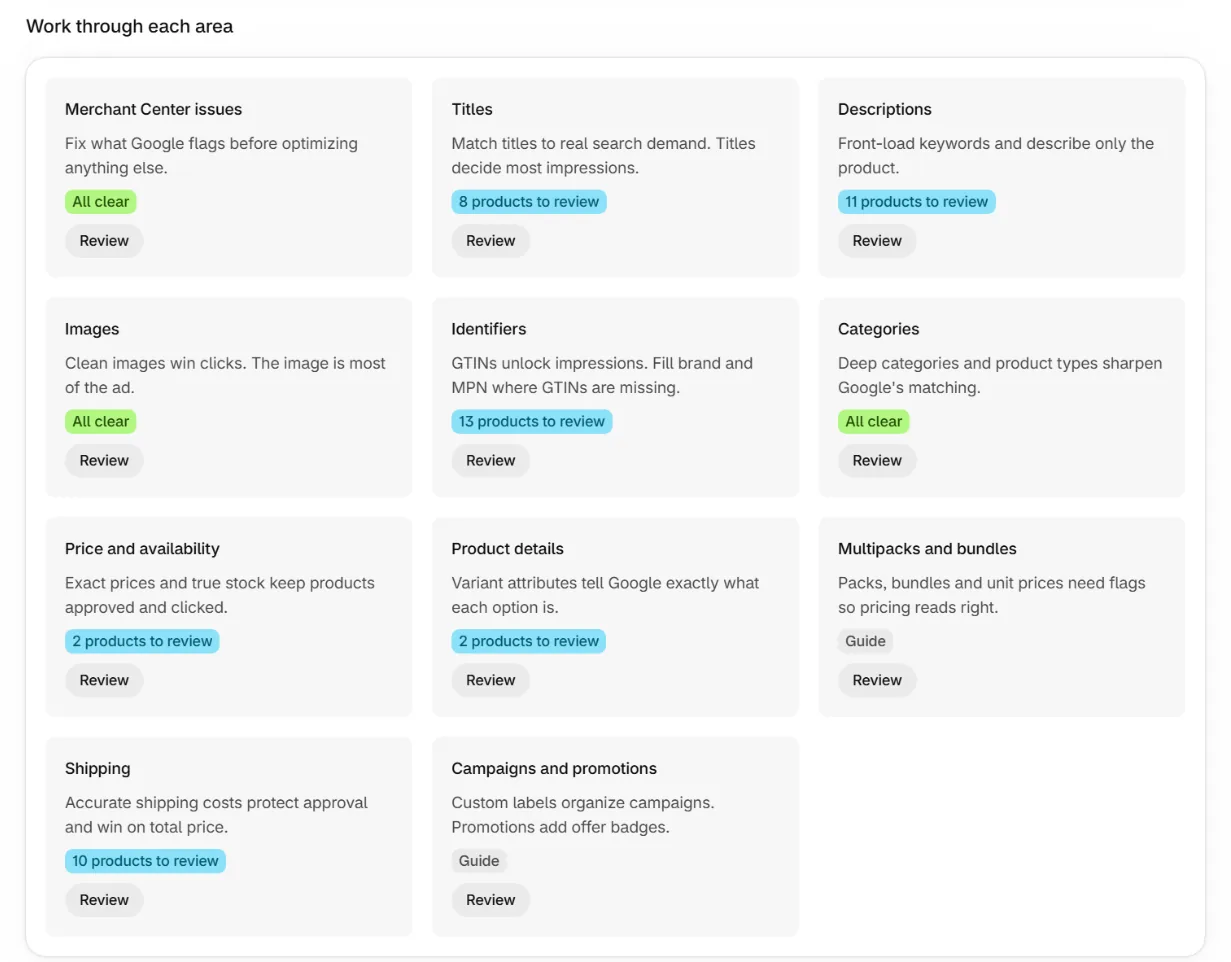
Each area lists the affected products with the reason and quick links. One link opens the product's edit panel on the Products page. The other jumps to the matching feed editor tab. Counts drop as you fix products. There is nothing to mark as done.
Let your AI assistant do the work
Connect Claude to the app, then press Copy prompt on the Optimization page and paste it into your assistant. It reads your issues, search queries and product data through the app. It proposes one change at a time and applies only what you approve.

Note. Assistant connections and applying product changes are available on paid plans. The page and its counts are free for everyone.
Frequently asked questions
How fresh is the issue data?
It refreshes once a night for stores with a feed linked to a Merchant Center account.
Why does a product have no search data?
New pages and pages without impressions have no query rows yet. Sync again after Google records more traffic.
Do I need a Google account for this page?
Feeds work without one. The issue and search sections need the Google connection because that data comes from your Google account.
Keep reading
Was this page helpful?